




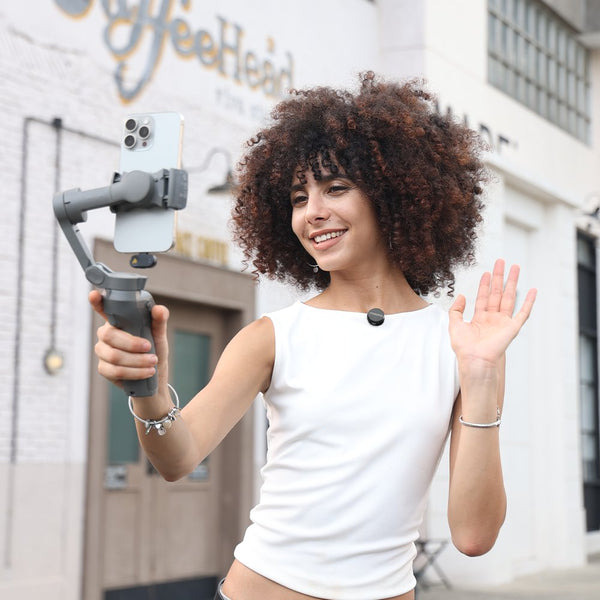
Black Friday and Cyber Monday make it easy to build a shortlist of microphones. Choosing one gets harder when the same sale page mixes USB models, XLR microphones, wireless systems, and bundles with very different accessories. Whether you are upgrading your own desk or buying a Christmas gift, start with the recording task and the equipment already in use.
A useful microphone purchase fits the device, the number of speakers, and the way recordings are saved and edited. This buying guide puts those decisions first, then looks at the full setup cost.

Find your workflow before comparing microphones
Before reading specifications, describe an ordinary recording session. A solo creator recording voiceovers at a computer has different needs from two podcast hosts sharing a room. Someone filming with a phone may need a specific receiver. An experienced user with an interface may simply need a microphone that works with the equipment already on the desk.
Use the comparison below to narrow your shortlist. Treat it as a starting point, then check the exact product and bundle you are considering.
| Recording workflow | What to consider | Check before buying |
|---|---|---|
| Solo recording at a computer | A direct computer setup | Ports, software compatibility, and microphone placement |
| Recording through an existing interface or mixer | An XLR connection | Available inputs, cables, and gain requirements |
| Switching between recording devices | Compatible connection options | Receiver version and required accessories |
| Two people recording in the same room | A setup for two microphones | Input capacity and channel handling |
| Keeping local microphone files | Internal recording | File export and the editing workflow |
If you only have time for one purchase check, confirm that the microphone can reach your recording device with the equipment included or already owned. Then compare the cost of everything still needed.
Budget for a complete recording setup
Compare working setups rather than microphone prices alone. An XLR purchase may also require an audio interface and cable. A wireless purchase depends on the correct receiver. A desktop microphone still needs somewhere comfortable to sit, even when a stand is included.
Make a short list of what you already own and what the selected bundle actually includes. Check the stand or mounting arrangement, required cables, and receiver version. For a shared desk, consider whether the microphone can be positioned without blocking the screen or taking up the space used for a keyboard. A boom arm is worth budgeting for when it solves a placement problem.
The same approach helps when comparing Black Friday microphone bundles. A bundle can be useful if its accessories match your needs. If you already have a suitable arm or interface, another one may add little value. Compare the final price of the items you will use, including delivery and any necessary extras, before deciding that the larger box is the better purchase.
For Cyber Monday, keep the same shortlist and requirements. If a different offer appears, compare its contents against the same list. That makes it easier to spot a meaningful saving without restarting the whole buying decision.
Buying a microphone as a gift
A microphone gift is easier to choose when you know the recipient's main recording device. Ask whether they use a computer, phone, camera, or audio interface. Knowing the exact device is more useful than knowing that they want to start making content.
Next, find out what they already have. A person replacing a headset microphone may welcome a direct computer connection. Someone with a mixer may prefer an XLR option. A creator who records with a co-host needs a way to capture both voices, including the appropriate number of microphones and inputs.
Consider how much setup and editing they enjoy. Some people like adjusting audio equipment; others want to sit down and record. Internal recording can be useful, but it adds a file transfer step. Wireless can suit the layout, but the receiver must match the device. A useful Christmas microphone gift supports the habits the recipient already has.
If you cannot confirm the details, check the seller's return terms and gift return arrangements before ordering. Delivery estimates matter too, especially when the gift needs to arrive before a particular date. Use the current checkout and policy information for the recipient's region.
Choose connections you expect to use
USB for recording at a computer
A direct USB connection is worth considering for solo podcasting, meetings, streaming, or voiceover work at a computer. For the buyer, the main questions are whether the microphone supports the intended computer and software, whether the cable arrangement fits the desk, and which controls are available on that platform.
If that covers the work you do, a USB setup can be a sensible place to spend the budget. You do not need to plan an interface purchase simply because other creators use one. Compare useful controls and placement options as well as the microphone itself.
XLR for equipment already in the workflow
XLR makes sense when an audio interface, mixer, or recorder is already part of the setup. Check that the external equipment has enough available microphone inputs and suits the microphone's requirements. For two hosts, count the inputs needed for both people before buying a second microphone.
This route also lets buyers consider the microphone and interface as separate purchases. That may suit someone who enjoys refining an established recording system. Include cables and any missing equipment in the total cost, and avoid buying an interface solely because a discounted microphone requires it unless that is a workflow you want.
Wireless for a compatible recording layout
A wireless microphone can reduce the cable running from the microphone to the recording device. Its usefulness depends on where the microphone will sit and which receiver the device needs. Check compatibility and the exact package contents rather than assuming every receiver works with every phone or camera.
Also consider the product's physical format. A desktop podcast microphone suits a different recording arrangement from a small wearable microphone. Think about how the person will speak, sit, or move while recording, then choose the format that supports that behavior.
Internal recording for a local audio file
Internal recording is worth considering when you want the microphone to save a file locally. That file might be the main recording transferred afterward, or an additional microphone source kept alongside another connection. Include the export process and the time needed to manage files in your buying decision.
For the PD500W, internal recording captures the microphone's audio. Computer playback, remote guests, or music in a complete livestream mix need their own recording path. Our connection comparison guide explains the distinction between sending audio to a device and saving it inside the microphone.
Look at the room and the space around the microphone
Picture where the microphone will be used every day. Will it sit beside a keyboard, appear in a video frame, or need to move when the desk is used for other work? A microphone that is awkward to position may be an inconvenient gift even if its feature list looks suitable.
Consider background sound and the speaker's distance from the microphone. Product examples recorded in a different room cannot tell you exactly how a microphone will sound in yours. Look for a placement arrangement the user can maintain comfortably, and treat processing features as part of the setup rather than a promise to remove every environmental problem.
For a gift, a quick look at the recipient's desk can answer useful questions about stand height, available space, and cable routing. These details help you choose accessories that will be used.
When a hybrid microphone like the PD500W fits
The PD500W hybrid microphone combines USB-C, XLR, and wireless connection options with internal recording. Those options are most useful when they solve identifiable needs across the work you do.
If you record at a computer but already use an interface for other sessions, USB-C and XLR give you choices that fit those arrangements. If you want a compatible wireless setup and also value a local microphone file, wireless and internal recording serve different parts of that session. Check the receiver required for your device and the selected bundle before purchasing.
For a two-person podcast, one compatible PD500W wireless receiver can pair with up to two microphones. That may suit buyers who want both microphones to reach a recording device without building a separate XLR interface setup. Channel handling still matters if you want to edit the voices individually. Our two-person podcast buying and setup discussion explains the available approaches and editing considerations.
Internal recording adds another decision. Would a local file be useful enough to justify transferring and organizing it after each session? If so, read what 32-bit float internal recording means before choosing features by their names alone. Separate microphone files should not be assumed to synchronize automatically.
A hybrid microphone is a reasonable shortlist option when you can name the connections you will use now or for a planned project. If one stable computer setup covers everything, prioritize how well the purchase serves that job. For device details, our computer, phone, and camera connection guide helps you check the practical requirements before ordering.
Check the offer before you buy
Once a setup fits, review the actual Black Friday or Cyber Monday offer. Confirm the model, selected variant, and included accessories. Check whether the displayed price requires a code or another condition, and compare the final checkout total rather than the headline discount alone.
For a holiday gift, read delivery estimates and return terms for the destination. Check warranty information and any regional restrictions. If the purchase depends on an accessory that is sold separately, confirm that accessory's availability too. A microphone and a missing receiver are still an incomplete gift.
Keep a record of the product listing and order details so you know which bundle was purchased. Prices, stock, and offer deadlines can change during the event, so use the current official listing when making the final decision.
Frequently asked questions
What should I check before buying a microphone on Black Friday?
Start with the recording task and device. Check the connection, included equipment, and anything needed separately. Compare the full setup cost, then review the offer conditions, delivery estimate, and return terms.
Is USB or XLR a better microphone gift for a beginner?
Choose around the recipient's equipment. A direct USB setup may suit someone recording alone at a computer. XLR can fit someone who already has an interface or wants that workflow. Confirm the accessories required by the specific product.
What matters for a two-person podcast purchase?
Budget for both microphones and a way to capture both signals. Check input capacity, receiver compatibility, and whether the recording arrangement provides the channel handling needed for editing. The number of microphones supported is only part of the decision.
Is a microphone bundle always better value?
Its value depends on whether the included accessories are suitable and needed. Compare the bundle with the cost of buying the useful items separately. Check exact contents, since similarly named packages can contain different equipment.
When should I consider internal recording?
Consider it when a local microphone file would be useful as the main recording or an additional source. Allow for exporting and checking files afterward. See the PD500W FAQ for product-specific recording information.
Choose a setup you can put to work
Before placing the order, you should be able to explain what the person will record, how the microphone connects, and which additional equipment is required. That applies whether you are shopping during Black Friday, comparing Cyber Monday offers, or choosing a Christmas gift.
If several connection needs overlap, include the PD500W in your shortlist and check the bundle against those needs. Choose the offer that completes the intended setup, with the compatibility and delivery details confirmed.