

Quick Take
Choose the P1 hybrid audio interface if you record alone and want 70 dB of mic gain, Auto-Gain, and direct phone or camera connectivity.
Choose the P2 hybrid audio interface when you need two microphone or instrument inputs for interviews, two-person podcasts, or collaborative music sessions.
Choose the PS22 Lite audio interface if you want the lowest-cost route into computer-based recording and do not need the mobile workflow features found on P1 and P2.

Introduction
The P1, P2 and PS22 Lite all handle the basic job of a USB audio interface: they connect an XLR microphone or instrument to recording and streaming software. All three support high-resolution recording, headphone monitoring, and computer-based production. The choice is less about headline sample rates and more about how many sources you record, how much microphone gain you need, and whether your setup includes a phone or camera.
P1 is built around a solo creator workflow. P2 trades some gain and automation for a second input, which makes it better suited to two people or two sound sources. PS22 Lite keeps the core desktop recording tools at a lower price. This comparison uses the current prices and product information shown on MAONO's official website.
Learn full introduction of the P1 & P2 Hybrid audio interface here.
Maono P1 vs P2 vs PS22 Lite at a glance
P1 is the stronger fit for solo creators who need more mic gain and flexible device connections. P2 is the practical choice for two-source recording. PS22 Lite covers the essentials for a simpler computer-based setup at the lowest price.
| Feature | P1 | P2 | PS22 Lite |
|---|---|---|---|
| Current website price | $129.99 | $119.99 | $69.99 |
| Mic preamps | 1 | 2 | 1 |
| Instrument / line inputs | 1 | 2 | 1 |
| Maximum mic gain | 70 dB | 56 dB | 56 dB |
| Maximum resolution | 24-bit / 192 kHz | 24-bit / 192 kHz | 24-bit / 192 kHz |
| Auto-Gain | Yes | No | No |
| Loopback | Yes | Yes | Yes |
| Direct phone / tablet workflow | Yes | Yes | No |
| Camera output | Yes | Yes | No |
| Best fit | Solo and mobile creators | Two-person or two-source recording | Budget desktop recording |
What do all three Maono audio interfaces have in common?
All three models can sit at the center of a small recording setup. Each accepts an XLR microphone, supports an instrument connection, and sends audio to a computer for recording or streaming. They also provide headphone monitoring, main outputs for studio monitors, 48V phantom power for compatible condenser microphones, and Direct Monitor for hearing the incoming signal without relying on software monitoring.
The three interfaces support recording at up to 24-bit/192 kHz and include Loopback. Loopback routes audio from an application back into a recording or streaming mix. A podcaster can capture a remote guest, while a streamer can combine a microphone with game, browser, or chat audio. These shared features mean that even PS22 Lite can handle more than basic voice recording. The differences become important when the setup moves beyond one person and one computer.
How many microphones or instruments do you need to record?
Input count is the fastest way to narrow the choice. P1 and PS22 Lite are aimed at solo setups, while P2 has two XLR/TRS combo inputs for two microphones, two instruments, or a mixed pair of sources.
P1 and PS22 Lite for a solo setup
A single microphone input is enough for voice-over, solo streaming, one-person podcasting, and most home vocal recording. Both P1 and PS22 Lite also include an instrument input, so a singer-songwriter can connect a microphone and a guitar without buying a separate interface. P1 is the more flexible of the two because it adds mobile connectivity, camera output, Auto-Gain, and more microphone gain. PS22 Lite makes sense when the entire workflow stays at the computer.
P2 for two microphones or two sources
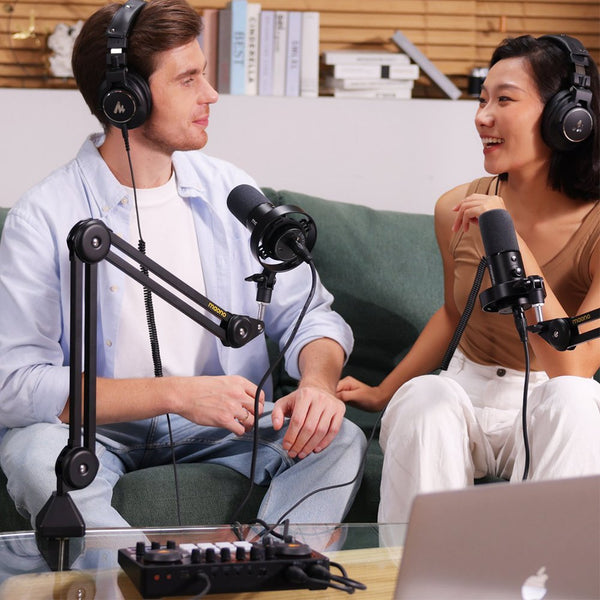
P2 is the only model in this comparison with two microphone preamps. That makes it the straightforward choice for a two-person podcast, an interview, two vocalists, or two instruments recorded at the same time. Each combo input can be switched for microphone, line, or instrument use. In Stereo Mode, MAONO's setup guidance lets a DAW record Input 1 and Input 2 as separate mono tracks, so the two performances can be edited independently after the session.
How much microphone gain do you need?
P1 provides up to 70 dB of microphone gain. P2 and PS22 Lite provide up to 56 dB. The extra range gives P1 more headroom with low-output dynamic microphones, especially when the speaker is quiet or positioned farther from the microphone. Auto-Gain can also set an initial recording level without asking a new user to judge the gain knob by eye.
A 56 dB preamp can still work well with condenser microphones, many common dynamic microphones, close-mic podcasting, and instrument recording. Gain requirements are not determined by the microphone model alone. Microphone sensitivity, voice level, distance, room noise, and the target recording level all matter. For that reason, P1 should be described as offering more gain flexibility, not as a guarantee that every microphone will work without an inline booster in every situation.
Which model is easier for beginners?
P1 is easier for a beginner who wants help setting levels. PS22 Lite is easier for a buyer who wants a lower price and a simple computer recording path. Those are different kinds of simplicity.
P1's Auto-Gain, visual feedback, mute controls, and solo-focused layout reduce the number of decisions needed before recording. It is the better fit for someone who plans to make podcasts, streams, music, and video with the same setup. PS22 Lite leaves out the phone, camera, and dedicated mute features found on P1 and P2. That makes it less versatile, but it also keeps the entry price at $69.99. A first-time user who records in a DAW and does not need a mobile workflow may not miss the extra controls.
Which audio interface is better for streaming, podcasting, and video?
Solo podcasting and streaming
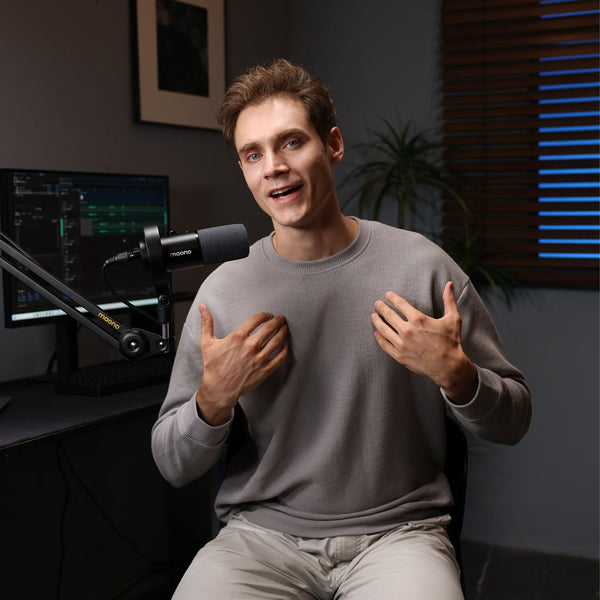
P1 is the best match for a solo host or streamer. Its 70 dB gain range supports a wider selection of microphones, Auto-Gain speeds up setup, and Loopback brings computer audio into the recording or stream. Direct phone and camera connections also suit creators who publish video podcasts, short-form video, or mobile livestreams.
Two-person podcasts and interviews
P2 is better when two people need their own microphones. The two combo inputs can be recorded separately, and the two headphone connections allow both participants to monitor the session. P2 also includes Stream Mode, Loopback, phone connectivity, and a camera output. The product page confirms dual headphone outputs, but it does not state that they provide separate monitor mixes, so the comparison should not promise independent headphone mixes.
Basic desktop podcasting
PS22 Lite is a reasonable option for one-person podcasting or streaming through a computer. Loopback can capture remote calls or application audio, and Direct Monitor helps the host hear the microphone with minimal delay. It is not the right fit when direct phone or camera connectivity is part of the plan.
Which model is better for music production?
P1 fits solo vocalists, guitarists, and musicians who also create video or livestream content. Its microphone and Hi-Z instrument inputs cover common singer-songwriter sessions, while the higher gain range gives more freedom when choosing a vocal microphone.
P2 is more useful when a session needs two simultaneous sources. It can record two performers, a stereo instrument, two microphones, or other combinations accepted by its combo inputs. Separate DAW tracks make it easier to adjust level, EQ, compression, and effects for each source later.
PS22 Lite is the budget choice for a first home studio. It supports vocal and guitar recording, high-resolution audio, Direct Monitor, and a computer-based DAW workflow. A musician who does not need two microphone preamps or direct mobile and camera connections can put the price difference toward a microphone, headphones, or acoustic treatment.
How do mobile connectivity and software features compare?
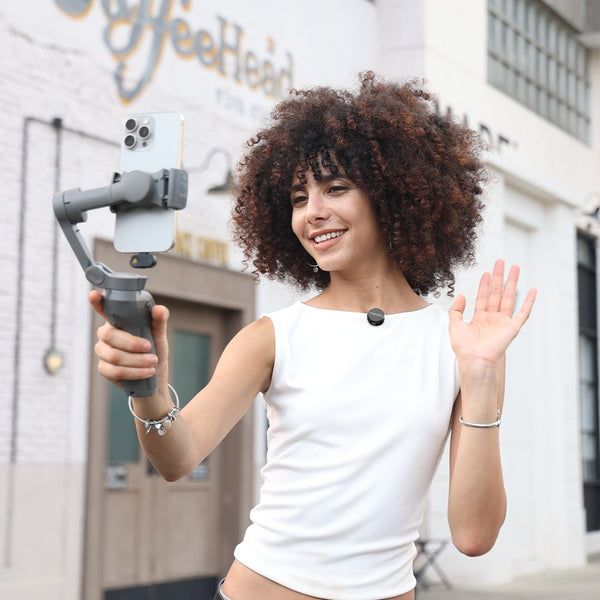
P1 and P2 are hybrid interfaces built for more than a laptop connection. Both product pages promote dual USB, direct phone use, iPad music production, and camera output. The camera connection can send audio processed by the interface to a camera's microphone input, which reduces the need to synchronize a separate audio file during video editing.
P2 also has a 5V DC power input. MAONO states that this port powers the interface only and does not charge a connected phone. Users planning a long mobile stream should charge the phone before starting. PS22 Lite is better treated as a computer-first interface because MAONO's comparison information does not list OTG or camera output for that model.
Software matters most when recording includes sources that do not enter through a physical jack. Loopback can bring browser audio, a video call, music, or game sound into a stream. P1 and P2 add a broader creator workflow through MAONO's control and routing software, while PS22 Lite covers the more basic routing needs of desktop recording.
P1 vs P2 vs PS22 Lite price: What do you get for the difference?
The current official prices place PS22 Lite at $69.99, P2 at $119.99, and P1 at $129.99. The least expensive model is not automatically the best value, and the most expensive model is not an upgrade in every respect.
Moving from PS22 Lite to P2 adds a second preamp, two-source recording, dual headphone outputs, mobile connectivity, camera output, mute control, and more streaming options. Moving from P2 to P1 changes the emphasis. P1 adds 70 dB gain and Auto-Gain but returns to one microphone preamp. P1 and P2 therefore serve different setups rather than forming a simple good-better-best ladder.
Which MAONO audio interface should you choose?
Choose P1 if most of the following describe your setup:
- You usually record alone.
- You want 70 dB of mic gain or Auto-Gain.
- You connect to a phone, tablet, or camera.
- You create several types of content with one compact setup.
Choose P2 if your setup depends on two inputs:
- You record two microphones, instruments, or other sources at once.
- You produce interviews or two-person podcasts.
- You want to edit the two inputs as separate DAW tracks.
- You need two headphone connections and mobile or camera support.
Choose PS22 Lite if price and a computer-based workflow come first:
- You need one microphone input for a basic home setup.
- You want Loopback and Direct Monitor.
- You do not need direct phone or camera connectivity.
- You would rather spend the difference elsewhere in the recording chain.
Quick decision guide
- Need two microphones or two separately recorded sources? ---Choose P2.
- Need direct phone, tablet, or camera connectivity for a solo setup? ---Choose P1.
- Want Auto-Gain or the most microphone gain headroom? ---Choose P1.
- Want to stay close to $70 and record mainly through a computer? ---Choose PS22 Lite.
Final Conclusion
P1 is the most flexible audio interface for a solo creator because it combines 70 dB gain, Auto-Gain, Loopback, and direct mobile and camera connections. P2 is the better tool for collaboration because its second preamp changes what can be recorded in one session. PS22 Lite is the sensible entry point for one-person desktop recording when budget matters more than mobile features. Start with the number of sources you need to record. Then decide whether higher gain, automatic setup, and external device connections are worth paying for in your workflow.
FAQs
Q1: Is the P1 or P2 better for podcasting?
P1 is better for most solo podcasts, especially when Auto-Gain, higher mic gain, or camera connectivity matters. P2 is better for two-person podcasts because it has two microphone preamps and can record the two inputs as separate tracks.
Q2: Which Maono audio interface is best for beginners?
P1 is easier for beginners who want Auto-Gain and a wider range of creator features. PS22 Lite is the more affordable starting point for someone who records through a computer and is comfortable setting gain manually.
Q3: Which model works with an iPhone or iPad?
MAONO presents P1 and P2 as hybrid interfaces with direct phone and iPad workflows. PS22 Lite is the computer-first option in this comparison and is not listed with the same OTG or camera connectivity.
Q4: Do I need P1's 70 dB of gain?
The extra gain is useful with low-output dynamic microphones or quieter sources. Many condenser microphones and common close-mic setups can work with 56 dB, so the right choice depends on the microphone, distance, voice level, and recording environment.
Q5: Can P2 record two voices separately?
Yes. the P2 guidance says users can turn off Stream Mode, select Stereo Mode, and assign Input 1 and Input 2 to separate mono tracks in a DAW for independent editing.