


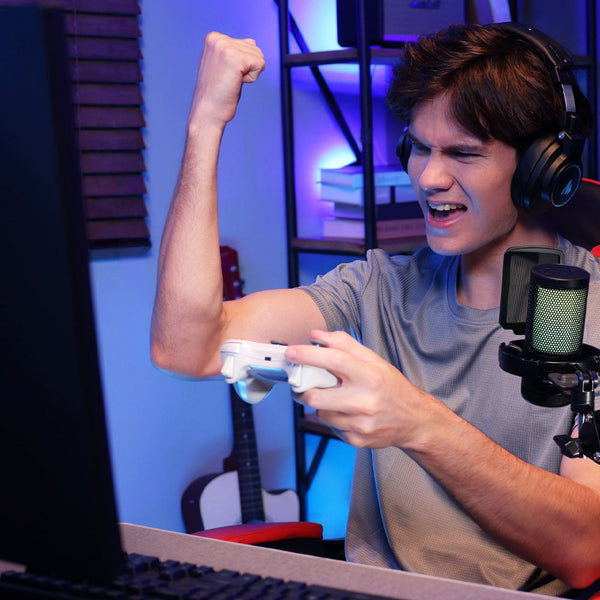

Your game is running. OBS is live. Discord is busy. Music is playing, alerts are coming in, and your microphone needs to sit clearly above all of it. When those sounds live in different apps, a quick volume change can turn into a hunt through windows and menus.
We built MAONO G3 audio mixer for that exact moment.
G3 is an audio mixer for Windows PC streaming that brings MAONO Arena software routing and hands-on hardware control into one workflow. Arena organizes the audio on your PC. Four physical faders put the sources you care about under your fingers. Three independent mixes let you decide what you hear, what your teammates hear, and what reaches your audience.
Why we built G3 Audio Mixer for Windows PC streaming
PC audio gets complicated faster than most people expect. A streamer may need to manage a microphone, game audio, Discord, Spotify, a browser, stream alerts, and OBS at the same time. A gamer who never goes live can face a similar problem when a voice call, music, and game audio all compete for attention.
The issue is rarely a lack of sound. It is a lack of clear control.
Software can offer detailed settings, but opening a mixer window in the middle of a match interrupts what you are doing. Traditional hardware gives you something physical to reach for, but it may not understand the separate apps running on your computer. We wanted G3 to connect those two sides of the experience.
Before you play or go live, Arena helps you set up your sources and decide where each one should go. Once you start, G3 gives you immediate control over the channels that matter most. You can make a quick adjustment without leaving the game, covering the screen, or losing track of the conversation.

Organize every audio source with MAONO Arena
MAONO Arena is the software side of G3. It is built for Windows and can manage compatible sources such as your microphone, game, Discord, music, Chrome, Spotify, and stream alerts.

Instead of treating everything from your PC as one combined signal, Arena separates those sources into channels you can identify and control. You can bring your game down without lowering Discord. You can adjust music without changing the level of your microphone. If a browser video is louder than expected, you know where to find it.
This matters before a stream as much as it does during one. Arena gives you a place to prepare the audio structure in advance, so you are not building the mix while viewers are already watching. It also gives G3's physical controls a clear job. Each fader can be tied to a source you use often, while Arena handles the routing behind it.
The result is a setup that remains flexible without asking you to operate a full software mixer every time someone in Discord gets loud.
Control your stream with four physical faders
There is a reason streamers still want physical controls on the desk. When a game gets intense, finding the right software slider is slower than reaching for a fader you already know.
G3 has four physical faders that can be assigned to important sources such as Mic, Game, Chat, and Music. You might keep Discord on one channel during a team game, then switch that channel to browser audio for a different stream. LED indicators keep levels readable.

Each channel also has a dedicated mute button. If music needs to stop, or a conversation should stay out of the stream for a moment, the control is already in front of you. Direct Monitoring gives you a quick way to check your own sound without sending it through a longer computer playback path.
These are small actions, but they happen constantly. G3 keeps them close so your attention can stay on the game, your teammates, and the people watching.
Create independent mixes for yourself, your teammates, and your audience
One mix is not always enough.
You may want strong game audio in your headphones because directional cues matter. Your teammates need to hear your voice and the sounds required for coordination, but they do not need every alert or music track from your stream. Your audience needs a balanced mix where commentary is clear and background audio supports the content rather than covering it.

G3 and Arena let you create three truly independent mixes for those listeners: yourself, your teammates, and your audience. The outputs work at the same time, so a change made for one group does not have to change what everyone else hears.
For your personal mix, you can keep the details that help you play. For the teammate mix, you can prioritize clean communication. For the audience mix, you can set the relationship between your voice, the game, music, and stream content.
One-click submix switching lets you move between these perspectives when you want to check or adjust them. This makes it easier to catch a problem before it becomes part of the broadcast. More importantly, it gives each listener a mix designed for how they take part in the session.
Make single-PC and dual-PC streaming easier
This streaming audio mixer is designed for Windows PC creators at different stages, from people preparing a first stream to experienced creators with a dedicated streaming computer.
In a single-PC setup, one machine may run the game, OBS, Discord, music, a browser, and alerts. Arena separates those software sources, while G3 gives you physical control over the channels you use most. You get a clearer workflow without adding another screen full of controls.
In a dual-PC setup, the gaming PC runs the game while the streaming PC handles OBS, streaming, and recording. This can improve performance, but it also creates a harder audio problem. Sound needs to travel between both computers, reach the right mix, and remain available for monitoring and communication.
G3 supports dual-PC workflows through dual USB-C and OTG connectivity. It can sit at the center of the setup and help route audio between the gaming PC and streaming PC. That means fewer workarounds and a more direct way to manage the sounds coming from both systems.
You do not need two PCs to benefit from G3. Dual-PC support is ready when your setup grows.
Connect an XLR microphone and shape your sound
Stream audio starts with the voice. G3 has an XLR microphone input with up to 57 dB of gain and 48V phantom power, giving you room to use compatible dynamic or condenser microphones. It supports 48 kHz, 16-bit USB audio for a clean connection to your PC.

Real streaming rooms are rarely silent. Keyboards, computer fans, and air conditioning often end up near the microphone. G3 audio mixer includes AI Noise Reduction to help reduce these everyday background sounds. It is a practical control for bedrooms, shared rooms, and gaming spaces that were never designed as recording studios.
Four customizable soundpads give you another way to make a stream your own. Load music, longer audio clips, or recurring effects, then trigger them from the mixer instead of searching for a file during the show. The pads can support a planned segment, a familiar reaction, or a quick change of pace when the moment calls for it.

G3 also connects with headphones, headsets, and speakers. Dynamic RGB lighting fits a modern gaming setup and makes the controls easier to locate in a darker room.
Built for streamers, gamers, and Discord regulars
We designed G3 around Windows PC streaming, but its usefulness does not begin and end with the Go Live button.
It fits Twitch, YouTube, and TikTok Live workflows. It can also help when recording gameplay, making guides, hosting an interview, or producing a multiplayer video. If you spend hours in Discord while gaming, listening to music, or sharing clips, separate control over those sources can make an ordinary session less frustrating.
That range of users shaped the way we approached this gaming audio mixer. The controls work for a first setup, while the routing and independent mixes leave room for a more advanced workflow. You can start with a microphone, a game, and Discord, then add more sources or a second PC later.
MAONO G3 is available now
MAONO G3 was official launched on the official website on September 18, 2026, avaliable in Black and White for $99.99. Download MAONO Arena for Windows to set up software sources, audio routing, and independent mixes.
At MAONO, we have spent years making professional microphone sound easier for creators to use. G3 takes that same idea beyond the microphone. It gives Windows PC gamers and streamers a simpler way to organize the whole audio workflow and a physical way to control it once the action starts.
Professional sound should help you stay in the moment. With G3, it is finally within reach.